Free & open source
Use your iPhoneas your Mac's second monitor.
A free, open-source alternative to Apple Sidecar, Duet Display and Luna Display. Use your iPhone and iPad as a second — and even a third — screen for your Mac. A true extended display, not a mirror: USB or WiFi, Retina-sharp, with touch and scroll. No subscription. No dongle. No account.

OpenDisplay is two apps that work together — install both to get going.
The sender — captures a virtual display and streams it.
Download for MacSigned & notarized — opens normally on macOS 14+. Prefer to compile it yourself? Build from source ↗
Looking for an older version? Browse all releases ↗
The receiver — displays the stream and sends touch back.

Want early builds? Join the TestFlight beta,
or compile it from source ↗.
Demo
See it in action.

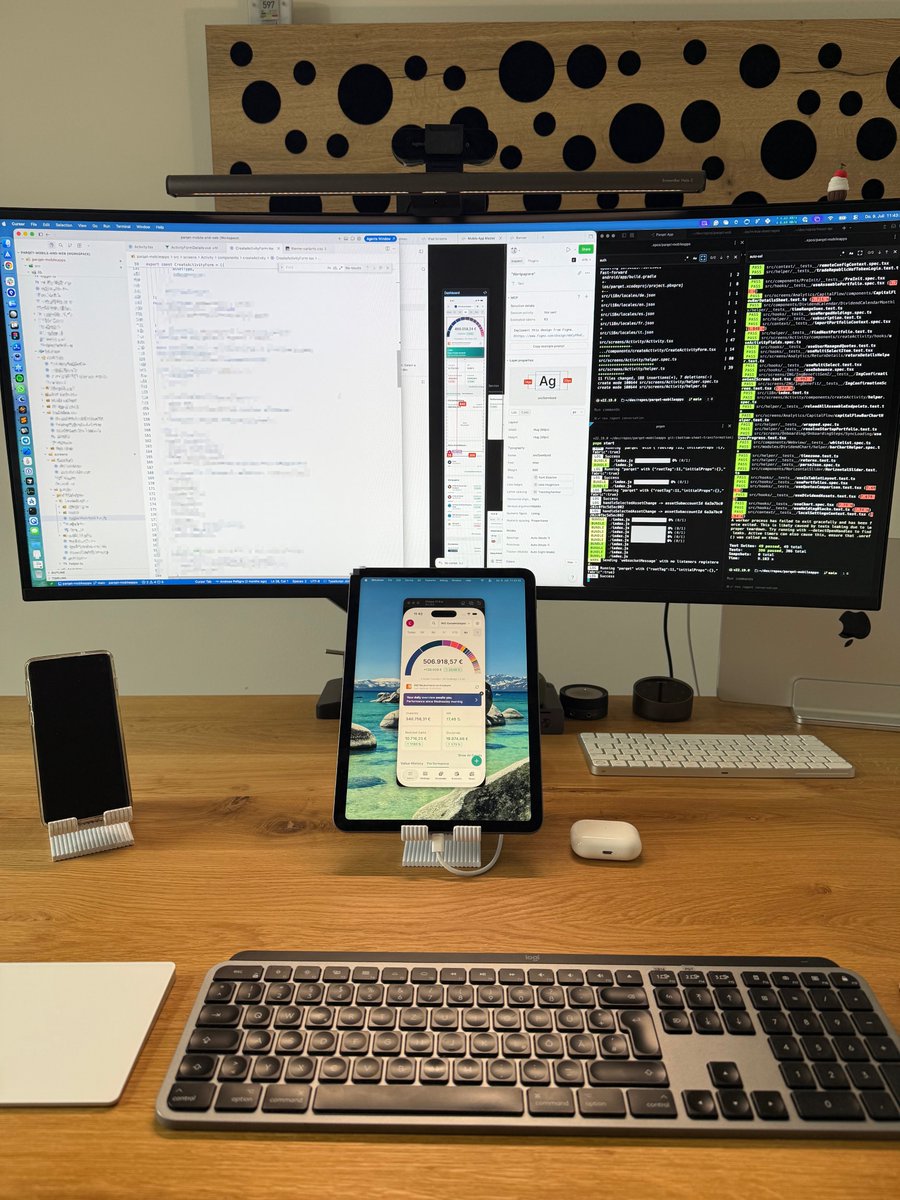
Using OpenDisplay to turn my iPad into a second monitor.
Honestly: 100x better than Apple Sidecar.
Amazing work @peetzweg 👏
- touch + portrait support
- works with different Apple IDs
 Jul 9, 2026 · View on X ↗
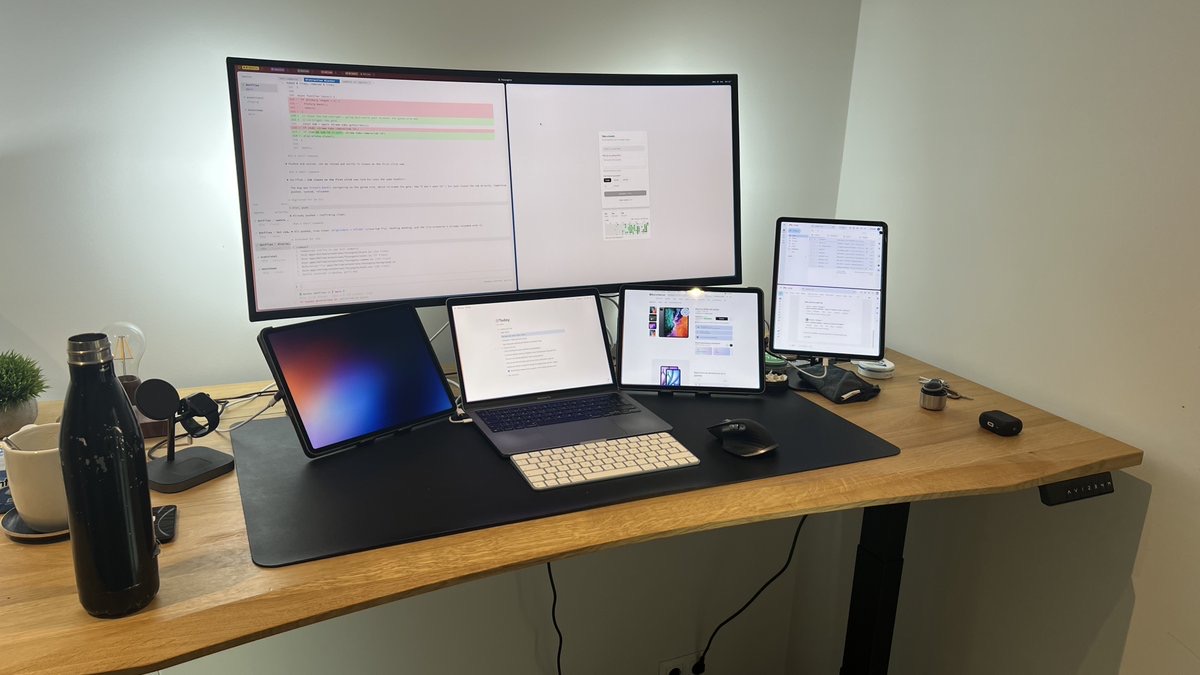
@peetzweg here's the setup I've been testing OpenSidecar on 😅
- LG Ultrawide
- Macbook Pro M1 (built-in screen)
- iPad Pro 12.9 x3
working like a champ
 Jun 30, 2026 · View on X ↗
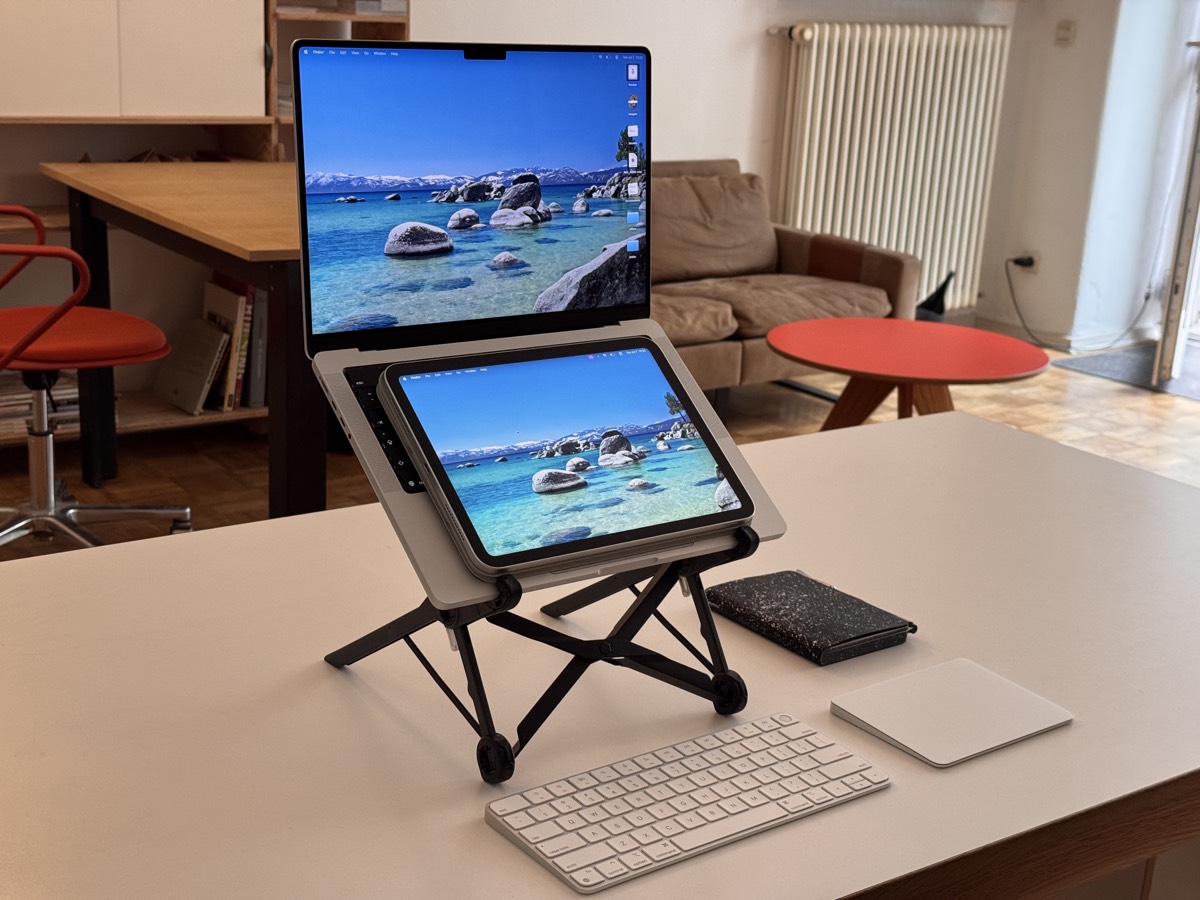
How the magic is happening today. Obviously using OpenDisplay for my Mactendo DS™ setup.
 Jul 7, 2026 · View on X ↗
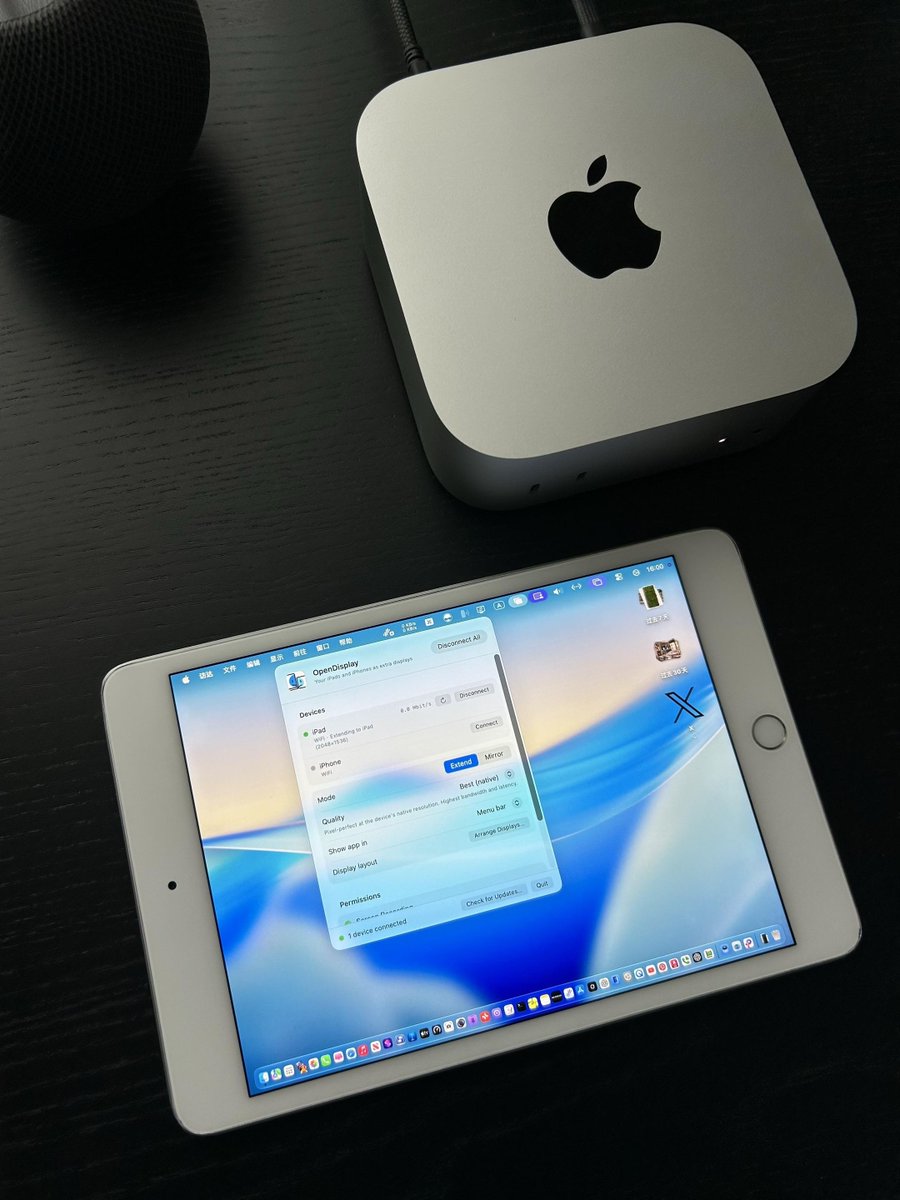
家里吃灰的 iPhone 或 iPad,居然还能给 Mac 当副屏。
OpenDisplay 装好后,Mac 会把它认成一块正经显示器,窗口能直接拖过去。插线能用,Wi-Fi 也能连,触控、双指滚动、横竖屏切换都有。
免费开源,也没有订阅。地址放下一条👇
The iPhone or iPad gathering dust at home can actually be a second screen for your Mac.
Once OpenDisplay is set up, the Mac sees it as a real monitor — just drag windows over. Works wired or over Wi-Fi, with touch, two-finger scroll, and portrait/landscape switching.
Free, open source, no subscription. Link in the next post 👇
 Jul 6, 2026 · View on X ↗
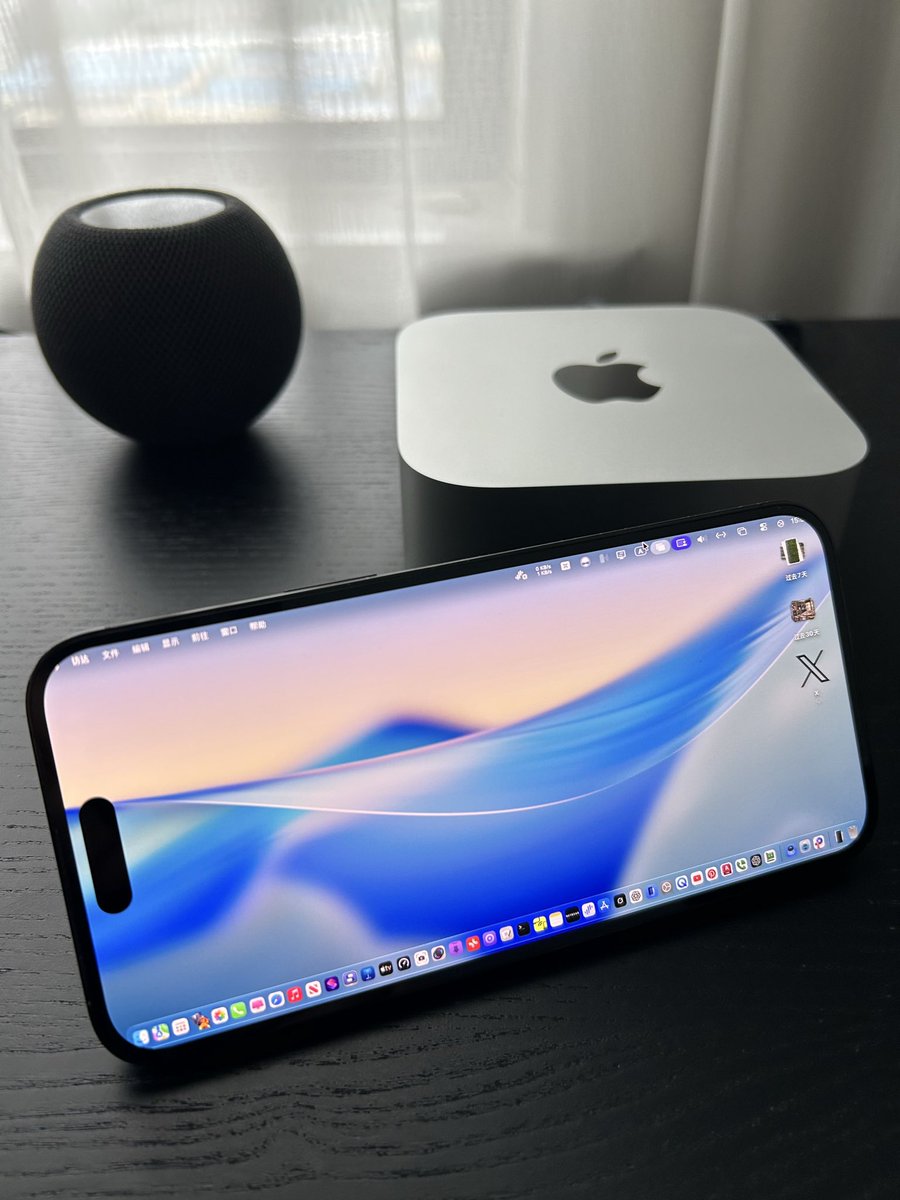
OpenDisplay这款软件确实很不错,可以将iphone作为mac的显示器来用,有些不支持随航的旧款iPad也可以使用,而且底层原理和系统自带的随航体验一样流畅,实测只要在同一局域网下没有距离限制,而且支持横竖屏自动切换,非常推荐!
OpenDisplay is genuinely great — you can use an iPhone as a Mac display, and even older iPads that don't support Sidecar work. It feels as smooth as Apple's built-in Sidecar; in my testing there's no distance limit as long as you're on the same LAN, and it auto-switches between portrait and landscape. Highly recommended!
 Jul 6, 2026 · View on X ↗
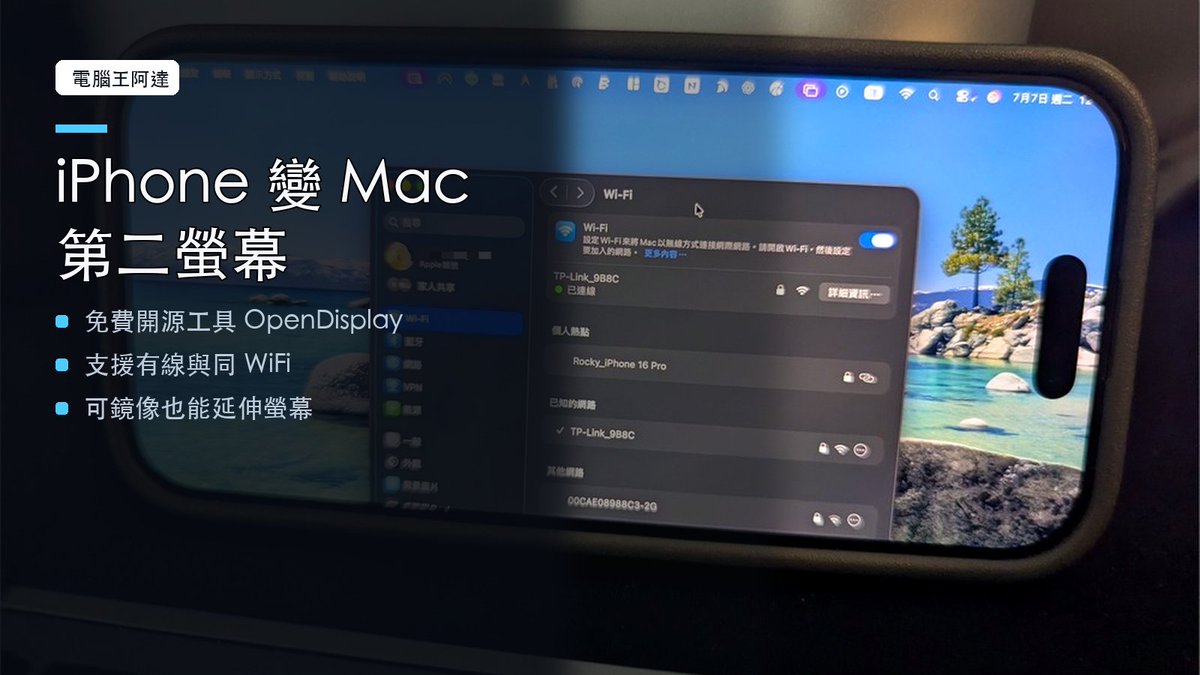
OpenDisplay 把 iPhone、iPad 變成 Mac 第二螢幕。
免費開源、可走有線或同 WiFi,臨時多一塊延伸螢幕很實用。
OpenDisplay turns an iPhone or iPad into a second screen for your Mac.
Free and open source, over a cable or the same Wi-Fi — a handy extra display in a pinch.
 Jul 7, 2026 · View on X ↗
Using OpenDisplay in the wild? Tag @peetzweg on X and your setup might end up here.
Support the project

If OpenDisplay saved you a monitor, consider buying me a coffee.
OpenDisplay is a one-person labour of love, built and maintained by me, Philip. It's not a company. It's just me.
It's free, open source, and funded out of my own pocket. The fixed costs are modest but real: $99 a year for the Apple Developer membership behind the signed, one-click installs, and $11 a year for the domain. On top of that go a lot of unpaid evenings and weekends.
Supporting me on Ko-fi keeps OpenDisplay well maintained and free for everyone, including the people who can't afford to chip in. My goal is to make this the greatest display companion app there is for iPad.
If it saved you from buying a monitor, a small tip helps keep it going. Thank you.
Support on Ko-fiFeatures
A true extended display, the way it should be.
No account, ever
No sign-up, no email, no login. And unlike Apple Sidecar — which only works between devices on the same Apple ID — OpenDisplay pairs across different Apple IDs, so you can use a partner's or friend's iPad. Download both apps and go.
Low-latency pipeline
Up to 60 FPS over USB. Hardware H.264 (VideoToolbox real-time mode), TCP_NODELAY, and frame-dropping backpressure with instant keyframe recovery keep it responsive.
Two, even three screens
You're not limited to one device. Run several iPads and iPhones at once, each as its own extended display — up to three has been tested, and you can freely mix iPads and iPhones. Arrange them all in System Settings like real monitors.
Retina sharp
Native Retina resolution — the virtual display matches your device panel pixel-for-pixel at HiDPI (@2x), so text looks exactly like it should.
USB-wired, lowest latency
Streams over your charging cable via usbmux. No network, no jitter — and your phone charges while it works.
WiFi, zero config
The phone advertises itself with Bonjour; pick it from a dropdown. No IP addresses to type.
Touch & scroll
Tap to click, drag to drag, two-finger pan to scroll. A tiny touchscreen for your Mac.
Portrait mode
Rotate the phone and the virtual display rebuilds as a vertical monitor — perfect for chat, logs, or docs.
Private by design
One direct TCP connection between your devices. No servers, no accounts, no telemetry. Read the code.
Why OpenDisplay
The device you already own becomes a real additional display.
Free, but iPad-only, requires both devices on the same Apple ID, and only on blessed hardware pairs. iPhones need not apply.
Pioneered the idea — now behind a subscription.
Great latency, but you're buying a hardware dongle.
Free, open source, auditable. The device you already own becomes a real additional display. If you were about to build your own — contribute here instead.
How it stacks up
| OpenDisplay | Apple Sidecar | Duet | Luna | |
|---|---|---|---|---|
| Price | Free & open source | Free | Subscription | $$ + dongle |
| iPhone as display | ✓ | ✕ | ✓ | ✓ |
| Different Apple IDs | ✓ | ✕ | ✓ | ✓ |
| No account / sign-up | ✓ | Apple ID | ✕ | — |
| Wired USB | ✓ | ✓ | ✓ | ✕ |
| Self-hosted / auditable | ✓ | — | ✕ | ✕ |
FAQ
Questions, answered.
How does it actually work?
The Mac creates a virtual display with the private CGVirtualDisplay API (the same technique used by BetterDisplay and DeskPad), captures it with ScreenCaptureKit, hardware-encodes H.264 with VideoToolbox, and streams it over a single TCP connection — through the USB cable via usbmux, or over WiFi. The phone decodes and renders withAVSampleBufferDisplayLayer and sends touch coordinates back, which the Mac injects as mouse events.
Is this on the App Store?
Yes — the iPhone & iPad receiver is live on the App Store. The Mac app ships as a signed, notarized direct download rather than through the Mac App Store because it relies on CGVirtualDisplay, a private API — that's the deal for every virtual-display product: use it or ship a dongle. You can also build either app from source with your own (free) Apple developer account in a few minutes.
Why do I see the purple screen-recording indicator on my Mac?
macOS shows that privacy indicator for every app that captures the screen — Duet, Luna, OBS and Zoom included. Apple Sidecar avoids it only because it's built into the OS. It's a feature, not a bug: you always know a capture is running.
WiFi mode can't find my iPhone — why?
WiFi discovery needs the Local Network permission on bothsides, and macOS/iOS deny it silently if the prompt was missed: check System Settings → Privacy & Security → Local Network on the Mac, and Settings → Privacy & Security → Local Network on the iPhone. Both devices must be on the same WiFi and the iPhone app must be open. The Mac app shows a live permission panel, and the iPhone app has a settings screen (shake the phone) that links straight there. USB mode needs none of this.
iPad support?
The receiver is a universal iOS app — it runs on iPad today. Run the Mac, an iPhoneand an iPad at once for a second and a third screen. iPad-specific features (Apple Pencil, pressure) are on the roadmap.
Is any of my screen data sent to a server?
No. One direct TCP connection between your Mac and your device. No accounts, no analytics, no cloud. The full story — what the apps store locally, which permissions they use and why, and the one current caveat about unencrypted WiFi transport — is on the privacy page.
What's the license? Can I fork it or use it commercially?
OpenDisplay is licensed under GPL-3.0. You can use, study, and adapt it freely — including commercially. If you distribute a modified version, it must remain open source under the same license with the original attribution intact, so improvements flow back to everyone instead of into closed forks. (Releases up to v0.4.x were MIT-licensed and remain available under those terms.)
Compatible apps
Android, older iPads, Linux.
The official apps are a Mac sender and an iPhone or iPad receiver. Other people have built their own clients that speak the same protocol, so you can also use an Android device or an older iPad as a display, or drive one from Linux. If your hardware isn't covered yet, start here.
GrapheneOS receiver for de-Googled Pixel phones and tablets. Android 8.0+.
Android receiverjosepacelli/opendisplay-android ↗Android receiver that works with an unmodified Mac app. Android 8.0+.
iOS 12 receivercuongpham1/ipad-iphone-second-monitor-ios12-free ↗For iPads and iPhones too old to run the official receiver.
Linux sendertixwho/opendisplay-linux ↗Drive an iPhone or iPad from a Wayland desktop (KDE Plasma, Hyprland).
These are fan-made projects, not official builds. They aren't affiliated with OpenDisplay and aren't maintained, reviewed or supported by us, so please report issues with them in their own repositories. Listing them here also says nothing about our own plans: an official OpenDisplay app may still ship for any of these platforms later.
Contribute
Open source, and built in the open.
OpenDisplay is GPL-3.0 and developed entirely on GitHub — the whole stack, from Mac capture and H.264 encoding to the iOS receiver, is yours to read, build, and improve. Bug reports, feature ideas, and pull requests are all welcome. Build-and-run instructions live in the README.
New here? Start with the README quick-start to build both apps, or browse the good first issues.